

AI Basics
What Is AI? (Terms & Definitions)
Artificial Intelligence (AI) is broadly defined as technology that lets computers simulate human thinking and decision-making. As IBM notes, “Artificial intelligence (AI) is technology that enables computers and machines to simulate human learning, comprehension, problem solving, decision making, creativity and autonomy.”. In practice, AI systems perform tasks that normally require human intelligence—like understanding language, recognizing images, or planning actions. For example, NASA describes AI as computer systems that can perform complex tasks normally done by human reasoning, decision making, [and] creating.
AI encompasses several layered concepts:
- Deep Learning: A specialized type of ML using multi-layer neural networks loosely inspired by the brain. Deep neural networks can analyze highly complex data (like raw images or text) and automatically extract features. As IBM notes, deep learning “uses multilayered neural networks…to simulate the complex decision-making power of the human brain”. Deep learning powers many modern AI breakthroughs (voice assistants, image recognition, etc.).
- Machine Learning (ML): A subset of AI where algorithms learn from data. IBM explains that ML involves training a model on data so it can make predictions or decisions “without being explicitly programmed for specific tasks”. In other words, instead of writing rules by hand, we feed data to an algorithm and let it infer patterns (e.g. spam filters, recommendation engines).
- Generative AI: A form of deep learning focused on creating new content. Today’s most famous examples (ChatGPT, image generators, etc.) are generative AI. IBM defines generative AI as models that can “create complex original content such as long-form text, high-quality images, realistic video or audio and more in response to a user’s prompt or request.”. In other words, you give these models a description or prompt (e.g. “Write a poem about space travel,” or “Generate a slide deck on AI ethics”) and they produce new text or images. Behind the scenes, generative models are trained on massive datasets (often billions of words/images) so they can mimic patterns and produce novel outputs.
In summary, AI is the umbrella term; ML is how AI learns from data; deep learning is an advanced ML technique; and generative AI refers to the latest models that generate new content on demand. Understanding these concepts sets the stage for using AI tools effectively at work.

Why AI Matters for Office Workers
AI matters for office professionals because it can automate routine tasks and augment decision-making, freeing time for strategic work. In Microsoft’s list of workplace AI benefits, the top item is boosted productivity: “AI productivity tools reduce time spent on routine work by summarizing documents and meetings, drafting first versions of content, organizing notes, and turning raw information into structured outputs.”. For example, an AI assistant can read a long project report and produce a concise summary, or draft a customer email from bullet-point notes. Other key benefits include faster decision cycles (AI quickly pulls insights from large datasets) and improved employee experiences (e.g. AI-driven training or chatbots).
In practical terms, office workers use AI to:
- Summarize and organize information: Turn long emails, meeting transcripts, or research into bullet-point summaries and action items.
- Draft and polish documents: Generate email drafts, proposals, reports or slide outlines from simple prompts or rough notes.
- Data analysis: Ask AI to analyze spreadsheets, create formulas, or visualize trends without manual coding.
- Idea generation: Brainstorm marketing taglines, project ideas, or creative content.
- Enhanced communication: Translate text, rewrite for clarity/tone, or suggest responses.
- Personal productivity: AI calendaring assistants, note-takers, or habit coaches can improve personal workflows.
Across industries, AI is reshaping daily tasks. For instance, marketing teams use it to generate content ideas and analyze campaign data, finance teams automate reports, and customer service uses AI chatbots for routine queries. By handling repetitive work, AI helps employees focus on higher-value activities like strategic planning, problem-solving, and creative collaboration.
How AI Works (Non-Technical)
From a high-level view, AI systems work in three phases: training, tuning, and inference/generation. Practically speaking, here’s a non-technical summary:
- Training (Learning): Developers collect large datasets (text, images, code, etc.) and use deep learning algorithms to train an AI model. For example, a large language model (LLM) is trained on terabytes of web text. During training, the model’s billions of internal parameters (weights) are adjusted so that it learns patterns in the data. IBM explains that a “foundation model” arises from this process: “The training yields a neural network of billions of parameters…that can generate content autonomously in response to prompts.”.
- Tuning (Fine-Tuning/Alignment): Once a foundation model is trained, it is often fine-tuned on narrower data or with human feedback so it behaves usefully. For example, ChatGPT was fine-tuned on dialogues and carefully aligned to make its responses more helpful and safe. This step includes incorporating guardrails (to reduce harmful or biased output) and teaching the model to follow instructions.
- Inference (Generation/Use): When you use an AI tool (e.g. ask ChatGPT a question), the model processes your input through its layers and outputs a response. This happens instantly: the model predicts the most likely next words or values based on what it has learned. Though it feels like “thinking,” it’s basically pattern matching under the hood. The model relies on its “working memory” (context window) to keep track of the conversation or document so far. As any sentence is generated, it is appended to the context for the next step.
Key points (no heavy math needed): AI learns from examples (training data), creates a complex internal map of that knowledge (neural network), and then uses that map to generate outputs. The more data and compute used in training, the more powerful the model tends to be. However, models can still make mistakes or “hallucinate” facts; always verify critical information.
Example analogy: Imagine training a teenager by letting them read all Wikipedia and news articles. Over time, they “learn” how to write essays on any topic. When you ask them to write a summary, they recall what they read and rephrase it. In AI, the model similarly draws on patterns learned from data to answer questions or generate content.
Beginner AI Tools for Office Work
Let’s look at four leading AI assistants useful for beginners. Each uses a large language model and natural language interface, but they have different strengths, ecosystems, and pricing.
ChatGPT (OpenAI)
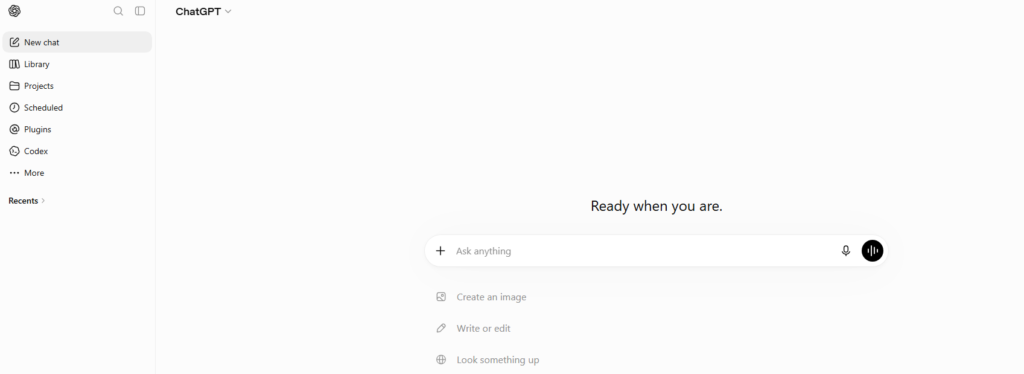
Overview: ChatGPT, by OpenAI, is a versatile conversational AI assistant. It’s designed to handle a wide range of tasks – answering questions, drafting and summarizing text, brainstorming ideas, coding help, and more. Users simply type (or speak) a prompt, and ChatGPT responds in natural language.
Key Features (free vs paid):
- Free tier: Uses OpenAI’s latest GPT-3.5-based models (and now GPT-4.0/GPT-4o for free users, depending on rollout).
- Paid plans: ChatGPT Plus ($20/mo) unlocks GPT-4 / GPT-4o, which provide better reasoning, larger context, and multimodal support (e.g. images via DALL·E). OpenAI now offers tiered plans (e.g. Pro, Enterprise) with even more power.
- Capabilities: ChatGPT can draft emails, reports, code, translations, etc., and even analyze data via its “analysis” tools. It supports plugins for web browsing, knowledge retrieval, code execution, and connects with Gmail, Google Drive, Slack, etc., especially in the ChatGPT Business/Work settings.
- Prompt Customization: You can set tone and style (“Write formally”, “Be concise”), and ChatGPT adapts.
Strengths: ChatGPT is highly flexible and widely used, with an extensive ecosystem (plugins, APIs). It excels at creative and general-purpose tasks. It maintains conversational context across turns (up to ~32K tokens in GPT-4o now).
Weaknesses: It can sometimes “hallucinate” (invent details) and its knowledge cutoff may lag (unless using the web-enabled version). Very specialized enterprise integrations require extra setup. ChatGPT’s basic output may need fact-checking.
Workplace Use-Cases:
- Email drafting: “Draft an email to a client about our Q3 report.”
- Summarizing: “Summarize this research article.”
- Creative brainstorming: “Give five taglines for our product launch.”
- Coding help: “Write a Python function to parse this CSV data.”
- Research assistant: “List key takeaways from these meeting notes.”
- ChatGPT for Work (ChatGPT Enterprise) can integrate with Google Drive, Office files, and corporate data for context-aware help.
Claude (Anthropic)

Overview: Claude is an AI assistant from Anthropic, designed with a strong emphasis on safety and reasoning. It’s built to be thoughtful and less prone to bias. Anthropic describes Claude as a “next-generation AI assistant” capable of summarization, search, creative writing, Q&A, coding, and more.
Key Features:
- Claude comes in two performance tiers: a high-accuracy model and a faster “Instant” model.
- Free tier: Includes conversational chat via the web, basic code execution, and web search.
- Pro plan ($17–20/mo): Offers more usage, Claude Code (for coding tasks), Claude Science (data analysis), Claude Design (image creation), “Cowork” (collaborative workspace), and longer context windows.
- Max plan (from $100+): Gives far higher usage limits and priority access.
- Connectors: Claude can connect to Slack and Google Workspace, use a browser extension, and integrate custom tools via Anthropic’s “Claude Extensions” and API. It also features memory, so it can recall past chats.
- Context length: Notably, some of Claude’s latest models support extremely long context windows (up to 1,000,000 tokens). This means Claude can ingest entire long documents or maintain lengthy conversations, far beyond typical LLM limits.
Strengths:
- Safety & Accuracy: Claude is tuned to produce reliable, factual answers. It is “less likely to produce harmful outputs” and allows more explicit guidance on style and format.
- Long Context: Its massive context window makes it ideal for processing lengthy documents like legal contracts or research papers in one go.
- Enterprise Focus: Good for structured reasoning tasks (summaries, analysis) and for industries like law or finance that need high assurance.
- Customization: Anthropic provides courses and documentation (Anthropic Academy) for learning to use Claude and building with it.
Weaknesses:
- Less Ubiquitous: Claude isn’t as widely integrated as ChatGPT; fewer third-party apps currently support it.
- More Reserved: Prioritizes factual, concise answers over creative flair. It may seem less “chatty” or playful.
- Primarily B2B: Most use-cases are professional. It’s not as common for casual personal use (though free tier exists).
Workplace Use-Cases:
- Document Analysis: Claude can read lengthy reports, contracts, or regulations and provide structured summaries. For example, a legal-tech company uses Claude to review contract clauses and even suggest clearer rewording – “nothing has matched Claude’s capabilities,” saying it excels at translating and explaining complex concepts in simple terms.
- Code and Data Tasks: With Claude Code/Science, it can generate or debug code, analyze datasets (e.g. Excel data), or visualize data without manual coding.
- Research Assistant: Pull in web search results or enterprise data and answer detailed questions.
Google Gemini (formerly Bard)

Overview: Gemini is Google’s AI assistant (the new name for Google Bard, as of Feb 2024). It leverages Google’s advanced AI models (like the new Gemini Ultra) and ties deeply into Google Workspace and services. Gemini comes in a free “Pro” version and a paid Gemini Advanced version featuring the most capable model.
Key Features:
- Gemini Pro (free): Access to Google’s standard model (previously Bard). Supports chat in 40+ languages worldwide.
- Gemini Advanced ($19.99/mo via Google One AI Premium): Unlocks Gemini Ultra 1.0, Google’s top model. Google claims in tests Gemini Ultra outperforms rivals on complex reasoning and coding.
- Multimodal: Gemini can process text and images. The mobile app lets you ask questions by typing, speaking, or even showing images.
- Integration: As part of Google, Gemini connects to Search and Google’s data. The AI Premium plan will integrate Gemini into Gmail, Docs, Sheets, Slides and other Workspace apps.
- Safety: Google emphasizes alignment with its AI Principles. Gemini undergoes extensive red-teaming and filtering to reduce unsafe content.
Strengths:
- Multimodal & Creative: In addition to chat, Gemini Advanced can generate images (e.g. “generate dinner invitation image”) and handle audio or code.
- Advanced Reasoning: Ultra 1.0 is strong at nuanced instructions, coding, and logical tasks.
- Google Ecosystem: It’s built to work seamlessly with Google’s tools (similar to how Copilot works with Microsoft tools). If you live in Gmail/Drive/Docs, Gemini will eventually assist directly inside those apps.
- Global Availability: Early versions are available in 150+ countries, 40+ languages, making it widely accessible.
Weaknesses:
- Newer on the Scene: Some features are still rolling out (especially Office-style integration).
- Less Specialized in Coding: While Gemini can code, it’s not as tailored for programmers as GitHub Copilot or ChatGPT’s Code Interpreter.
- Paid Advanced Tier: The most powerful features require the $19.99 Google One AI Premium subscription.
Workplace Use-Cases:
- Personal Tutor / Training: Google notes you can have Gemini Advanced create step-by-step tutorials or quizzes personalized to your learning style.
- Content Creation: Use it to brainstorm creative projects. It can analyze trends or suggest growth ideas for a blog or marketing campaign.
- Coding Help: Gemini Advanced can help with coding scenarios—explaining code, suggesting improvements, or acting as a pair programmer.
- Multimedia Tasks: Ask Gemini to generate an image for a presentation, or summarize information from an image (e.g. “What is shown in this chart?”).
- Google Workspace: In the near future, you might ask Gemini inside Docs to rewrite a paragraph, or inside Sheets to explain a graph, just as Microsoft Copilot does in Office.
Microsoft 365 Copilot
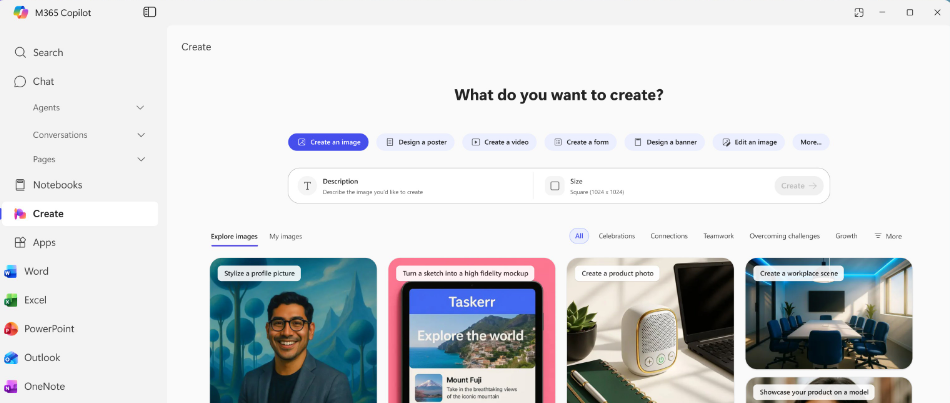
Overview: Microsoft 365 Copilot is an AI assistant built into Office apps (Word, Excel, PowerPoint, Outlook, Teams, etc.). Powered by large language models (and using your own work data via Microsoft Graph), it helps you be more productive within the tools you already use. For example, it can draft text in Word, build presentations in PowerPoint, create formulas in Excel, and more.
Key Features:
- Seamless Integration: Copilot works directly in your Office apps. You don’t switch to a chat window; you invoke Copilot in the app you’re in (e.g., a sidebar in Word).
- Context-Aware: It uses your document content, emails, calendars, and corporate data (with permissions) to personalize responses.
- Copilot Chat: There’s also a Copilot Chat app (a web chat and Teams integration) for cross-app queries, similar to ChatGPT.
- Security/Privacy: Because it uses Microsoft Graph, Copilot only accesses data you have rights to. For enterprises, Microsoft provides admin controls, audit logs, etc.
- No extra logins: It works with your Microsoft 365 login and existing subscriptions (though advanced features may require specific licenses).
Strengths:
- Office-centric: It excels in tasks inside Microsoft tools. For instance, in Excel it can suggest formulas or transform data. In Word it can draft/format content based on your file. In Outlook, it can summarize a long email thread.
- Familiar Interface: Since it’s in Word/Excel/Teams, users don’t need to learn a new app. They just click the Copilot button.
- Enterprise Focus: It’s designed for businesses; features like enterprise data connectors and compliance are built in.
- GitHub Copilot (for developers): Separately, Microsoft’s GitHub Copilot (based on OpenAI Codex/GPT) assists programmers by writing code in Visual Studio, but that’s typically licensed per developer.
Weaknesses:
- Microsoft-only: It only works in Microsoft products. If your team uses Google or others, Copilot isn’t helpful.
- Less general chat: Copilot is not meant for open-ended conversation or creative writing outside of Office contexts.
- Cost: Full Microsoft 365 Copilot licensing (per user) is expensive and generally enterprise-only. (Note: Microsoft offers some Copilot features free in Windows or Edge, but those are separate.)
Workplace Use-Cases:
- Document Drafting: In Word, you can ask Copilot to draft an outline or expand bullet points into paragraphs.
- Spreadsheets: In Excel, it can analyze data, suggest pivot tables or formulas, and even generate charts from descriptions.
- Email & Meeting Summaries: In Outlook and Teams, Copilot can condense lengthy email threads or meeting transcripts into quick summaries, saving you time.
- Presentation Creation: In PowerPoint, provide a text brief and Copilot can create slides with bullet points and speaker notes.
- Universal Search: Microsoft 365 Copilot Search (Preview) lets you ask natural-language questions about your company’s data across all apps.
AI Tool Comparison
| Feature | ChatGPT (OpenAI) | Claude (Anthropic) | Gemini (Google) | Copilot (Microsoft 365) |
| Developer | OpenAI | Anthropic | Google DeepMind/Google LLC | Microsoft Corporation |
| Primary Apps | Web/app chat, API, plugins | Web/app chat, API, integrations | Web/app (Gemini chatbot), Google Workspace | Word, Excel, PowerPoint, Outlook, Teams |
| Input Mode | Text (and image prompts via DALL·E) | Text (also code, with extensions) | Text & images (mobile app) | Text (via Office UI) |
| Models | GPT-3.5, GPT-4 (now GPT-4o/5) | Claude 3/4/5 family (Sonnet, Fable, Mythos) | Gemini Ultra 1.0 (Advanced), Gemini Pro | Microsoft’s LLMs (Azure-based GPT variants) |
| Context Length | ~128K tokens (GPT-4o) | Up to 1,000,000 tokens | (Likely up to 1M tokens in Ultra) | ~8K tokens (Chat); Up to 32K with GPT-4o in Teams |
| Free Tier | Yes (GPT-3.5/GPT-4o) | Yes | Yes (Gemini Pro) | Copilot Chat (limited); Windows Copilot |
| Multimodal | Text (image gen via DALL·E) | Text (code/data via Claude Design) | Text, Images, (Voice upcoming) | Text only (but can insert Excel/Word content) |
| Strengths | Very versatile; strong conversation and content creation; plugin ecosystem | Long-context, safe outputs, great for complex analysis | Cutting-edge reasoning/coding; Google Search integration; multi-modal | Deep Office 365 integration; enterprise security; copiloting in familiar apps |
| Use-Cases | Drafting content, brainstorming, Q&A, creative writing, coding, research | Summarizing long docs, legal/finance compliance, data analysis, code assistance | Tutoring, coding, image generation, Google Docs/Slides tasks, search-based QA | Writing/editing Office docs, email summarization, Excel analysis, meeting recaps, business reports |